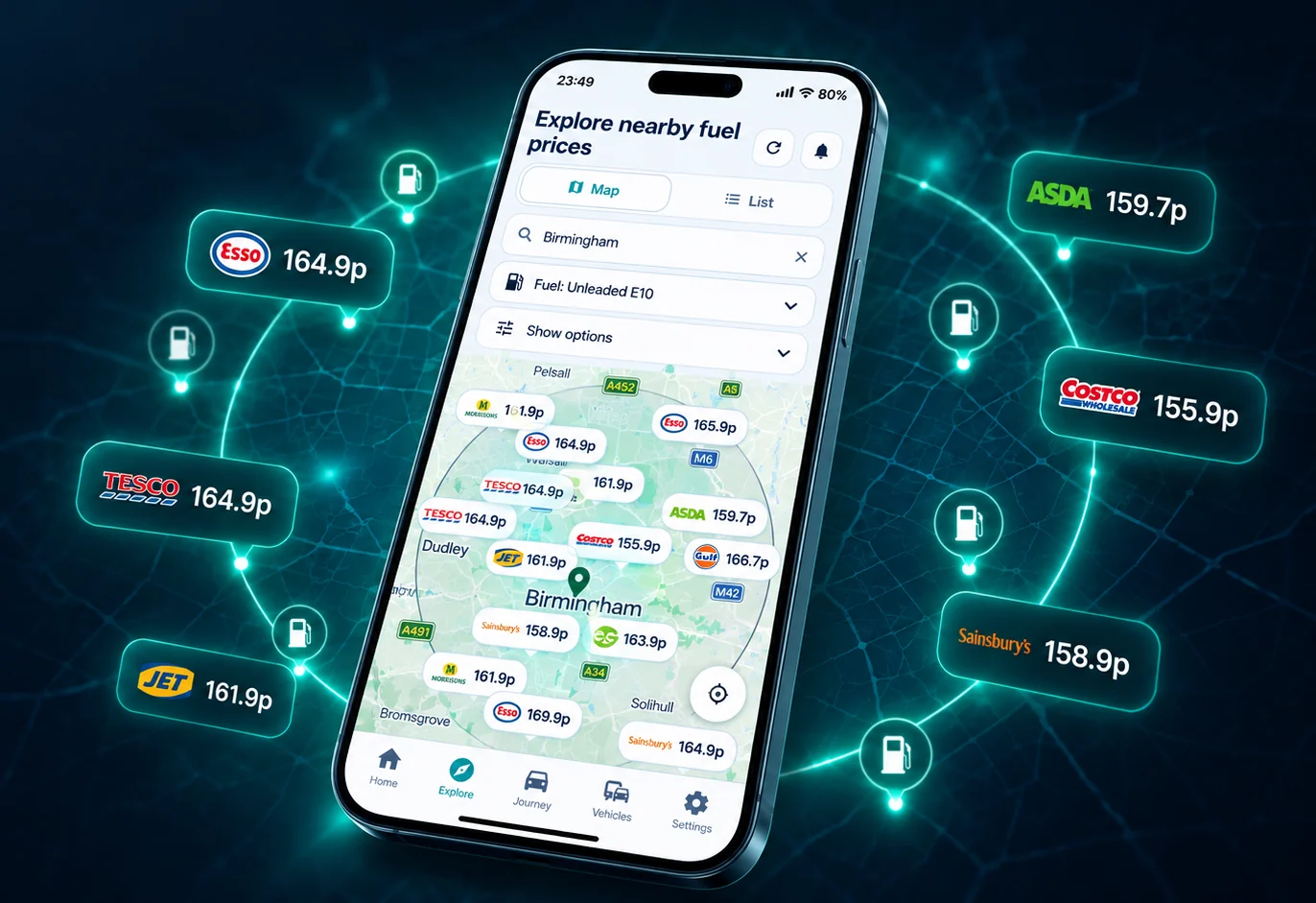
Choose the correct fuel grade, read the price timestamp, check the station details and compare the extra drive before opening directions. The lowest pump price is not automatically the lowest-cost stop.
On this page
1. Select the fuel your vehicle actually uses
Compare like with like. E10 and super unleaded E5 are different grades. Standard diesel B7 and premium diesel are also different products. Start with the grade required by your owner's manual, then compare stations that report that same grade.
2. Understand the price timestamp
The price-change timestamp shows when the retailer last changed that price. An older timestamp does not, by itself, mean the price is wrong: a station can keep the same price for several days. Check the price displayed at the pump before filling up.
Where the price and forecourt data comes from
The statutory UK Government Fuel Finder service brings together current retail prices and forecourt details. Motor fuel traders must submit a price update within 30 minutes of a change. The data can include the fuel type, station address, brand, amenities, opening hours and a timestamp for the update.
The 30-minute rule is a reporting deadline, not a promise that every comparator screen changes at exactly the same moment. In its August 2026 monitoring update, the CMA said retailers registered with Fuel Finder accounted for 99% of UK road-fuel sales and that the vast majority of sites were updating prices, but individual records can still be missing, delayed or wrong. Check the price displayed at the forecourt before buying and use the official error-reporting service when a material discrepancy appears.
3. Open the station detail page
A useful fuel finder should lead beyond a map pin. Check the station name, postcode, latest station prices, opening information, facilities and recent history. Route & Fuel search results link to detailed station pages as well as Google Maps.
4. Count the detour before calling it a saving
First calculate the gross price saving:
Then subtract the fuel used by the extra miles. An optional time value can also be included when a detour adds a meaningful delay.
See how the saving is calculated
Suppose one station is 8p per litre cheaper and you plan to buy 55 litres. The pump-price saving is £4.40. Four extra miles at 45 UK MPG use about 0.40 litres. At £1.50 per litre, that extra fuel costs about 61p, leaving an estimated fuel saving of £3.79 before allowing for your time.
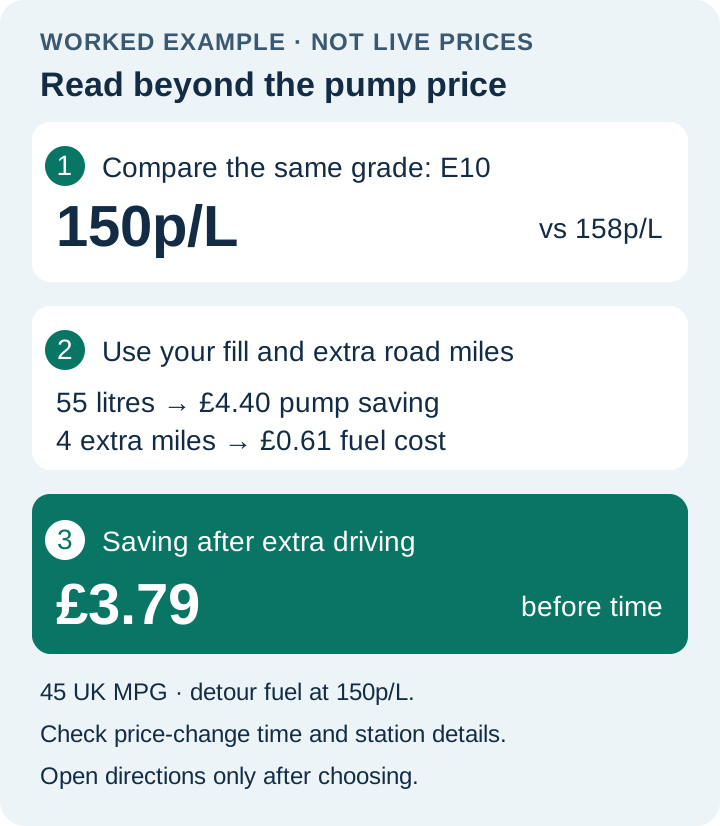
Before opening directions, check the selected station’s price-change timestamp for that grade, its opening information and its location. Confirm the displayed pump price before buying.
The same 8p gap would be less attractive for a small top-up, a longer detour or slow stop-start traffic. Use the journey cost calculator to enter the litres you actually expect to buy and change the other assumptions.
5. Open directions after choosing the stop
Google Maps now lists UK fuel prices. Read how to check those prices and use Route & Fuel alongside Maps when a cheaper stop adds extra driving.
Once the price, station details and detour make sense, open directions to the selected stop. Plan before setting off or while safely parked, not while driving.
Nearby fuel finder or fuel along my route?
A postcode search is best when you need a local comparison. A route search is better for a longer journey because a station can be cheap but sit in the wrong direction. Route & Fuel supports both with a straightforward search, clear station details and a route-and-detour calculation.
Nearby prices
Compare recent station prices by postcode and open station detail pages.
Fuel prices near meFuel along a route
Compare stops that fit the journey instead of chasing a price in the wrong direction.
Find fuel along my routeAndroid or iPhone
Use the platform page that matches your device and open the current store listing.
Android · iPhone and iPadSources and data guidance
- GOV.UK: Fuel Finder collection and reporting duties
- GOV.UK: access current fuel prices and forecourt data
- CMA: enhanced road fuel monitoring report, August 2026
- GOV.UK: report an error in fuel prices or forecourt details
Fuel finder app questions
What should I check first in a fuel finder app?
Check the fuel grade, listed price, price-change timestamp and extra road distance. A low price may not save money after a detour, and an older change time alone does not prove the price is incorrect.
Should I choose the cheapest or nearest station?
Neither rule works every time. Compare the expected price saving with the extra fuel and time needed to reach the station.
Can I use a fuel finder app while driving?
Plan before setting off or while safely parked. Route & Fuel can pass the selected station to Google Maps after the decision is made.
Does Route & Fuel work on Android and iPhone?
Yes. Route & Fuel has dedicated Android and iPhone or iPad download pages, plus a free postcode finder on the website.